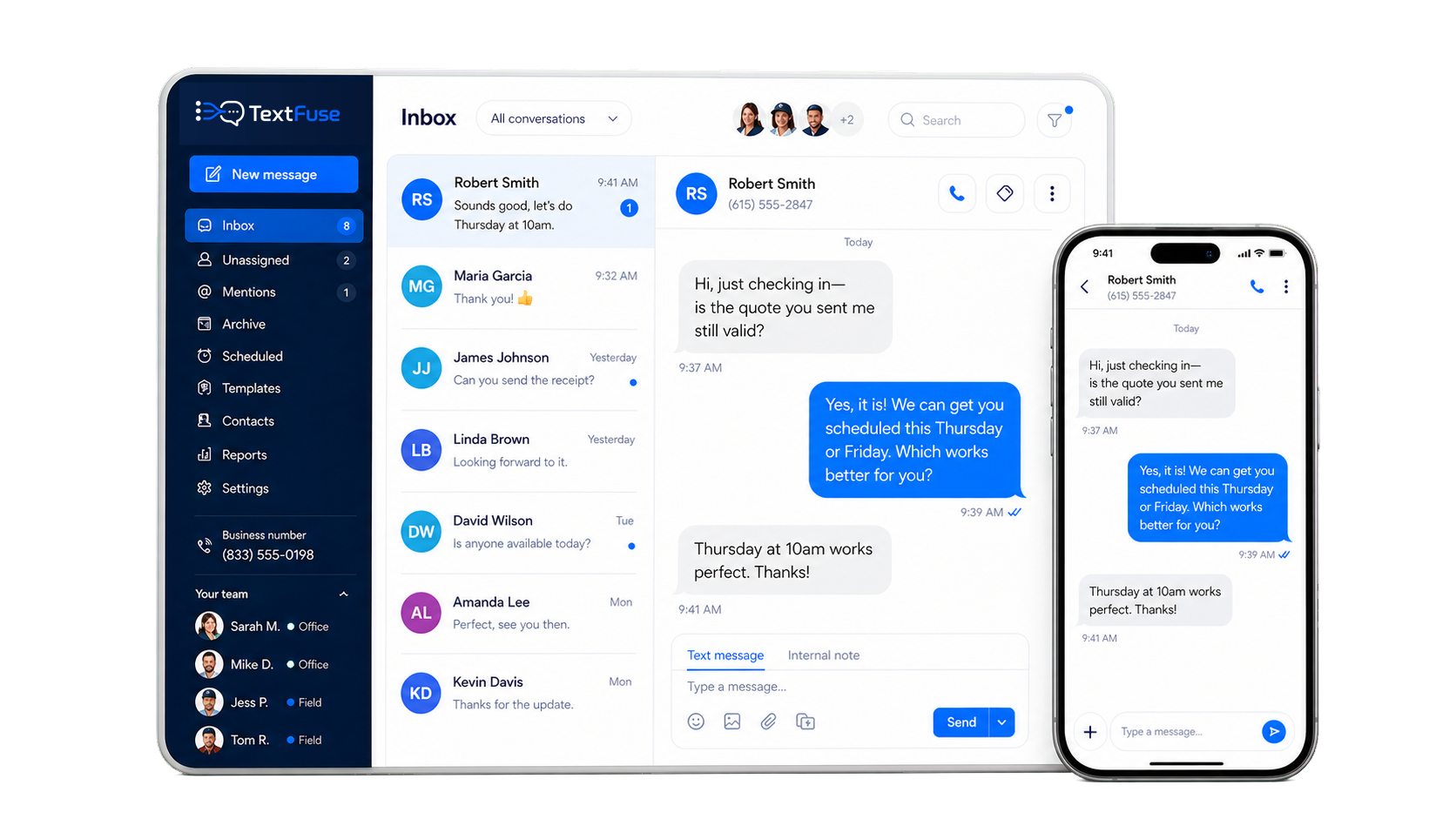
Send every customer text from a shared inbox.
Quotes, appointment reminders, on-my-way updates, payment nudges, and follow-ups all sent from one shared business number your whole team can use.
From scattered texts to a smoother service day
TextFuse covers the customer messages that happen before, during, and after the job.
Without TextFuse
With TextFuse
One workflow for the whole customer journey
Quote follow-ups, reminders, on-my-way updates, payment nudges, and promos all live in the same system.
Quote and follow up
Send quotes from the business number and nudge customers automatically if they go quiet.
Remind and update
Appointment confirmations, reminders, and on-my-way texts keep customers informed.
Collect and rebook
Send payment nudges, review requests, and slow-week promos without rebuilding lists.
Everything your team needs to text like a pro.
Built for home service operators by home service operators. We understand your business, and your needs.
Shared inbox
One place for every customer reply, internal handoff, and conversation history.
Scheduled sends
Automate the messages that keep customers informed and jobs moving.
Templates and segments
Reply faster and send the right message to the right customer list.
Unlimited team seats
Add the people who need access without per-user pricing.
Email forwarding
Keep owners and managers in the loop when important texts arrive.
Delivery analytics
Know what landed, what bounced, who replied, and what created activity.
Simple pricing for busy operators.
No tiers, contracts, or feature gates. One plan covers the messages your team sends before, during, and after every job.
#Core texting
⏱Scheduled sends
↗Growth tools
▣Management
TextFuse
$0.01 per SMS after 5,000 included
Common questions
Answers to the questions new customers ask most — pricing, compliance, setup, and your team.
Do I need to use my personal cell number?
No. TextFuse gives your business a dedicated local number. Customers text that number — your personal cell stays private. Your crew texts from the business number too.
Can my whole crew use it?
Yes. Every team member gets access to the shared inbox. Office staff, dispatchers, and techs all see the same conversations and can reply — no more missed messages when someone is on a job.
Is there a contract or lock-in?
No contracts, no lock-in. Cancel any time from your billing page. We also back it with a 30-day money-back guarantee — not happy in the first 30 days, we refund you in full.
How does the overage pricing work?
Your plan includes 5,000 SMS per month. Once you go over, each extra message costs $0.01 (one cent). Usage is visible in real time on your dashboard so there are no billing surprises.
Do my customers need to download an app?
No app needed on their end. They text your business number from their regular phone like any normal text message. You manage everything from the TextFuse web dashboard.
What types of messages can I send?
Quote follow-ups, appointment confirmations, on-my-way texts, review requests, payment reminders, seasonal promos — anything your team needs. Templates for common home service scenarios are included.
Still have questions? Contact us — we reply fast.
Your crew is already texting customers.
Make every message part of the system.
Quotes, reminders, on-my-way texts, payment nudges, and follow-ups from one shared inbox.
Not ready to switch today?
Get the home service texting checklist and a quick setup guide for quote follow-ups, appointment reminders, and payment nudges.
Simple setup
How getting started works
Get your business number live, invite the team, and start sending customer texts in minutes.
Choose your business number
Pick a dedicated local number your customers can text.
Invite your team
Add office staff, dispatchers, field techs, and owners.
Load your templates
Set up replies for quotes, reminders, on-my-way updates, and payments.
Start texting customers
Send and receive every customer text from the shared inbox.